![logo-blue copy 2.png]](https://help.nozzle.io/hs-fs/hubfs/logo-blue%20copy%202.png?height=33&name=logo-blue%20copy%202.png)
If you want to find your highest-ranking traditional organic result, use the Base Rank metric instead of Rank. Base Rank isn't one of the metrics shown by default, so you'll need to add it first.
Open the Metrics picker — the grid icon next to the word Metrics, just above the metric tiles — and check Base Rank. It appears as a new tile in the Metrics row. Click that tile to make it the selected metric, and the summary charts below update to show Base Rank. For a full walkthrough of the picker, see How do I add or remove metrics on a dashboard?

With Base Rank selected, the History chart switches to show your Base Rank. Down on the Keywords chart, you can dig into the specifics per keyword.
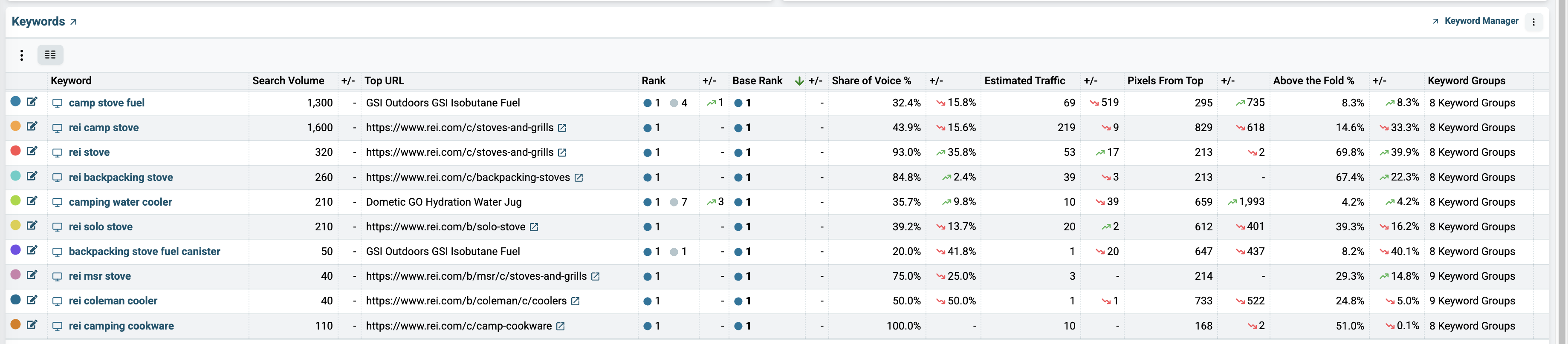
The Rank is listed next to the Top URL, but if you scroll to the right, you can see that the Base Rank may be listed as a different number.
Base Rank is defined as counting only organic results and featured snippets. In other words, it ignores everything else — ads, People Also Ask boxes, and other Google features.
You can delve further into a keyword's rankings by clicking on it and going to the Single Keyword dashboard.
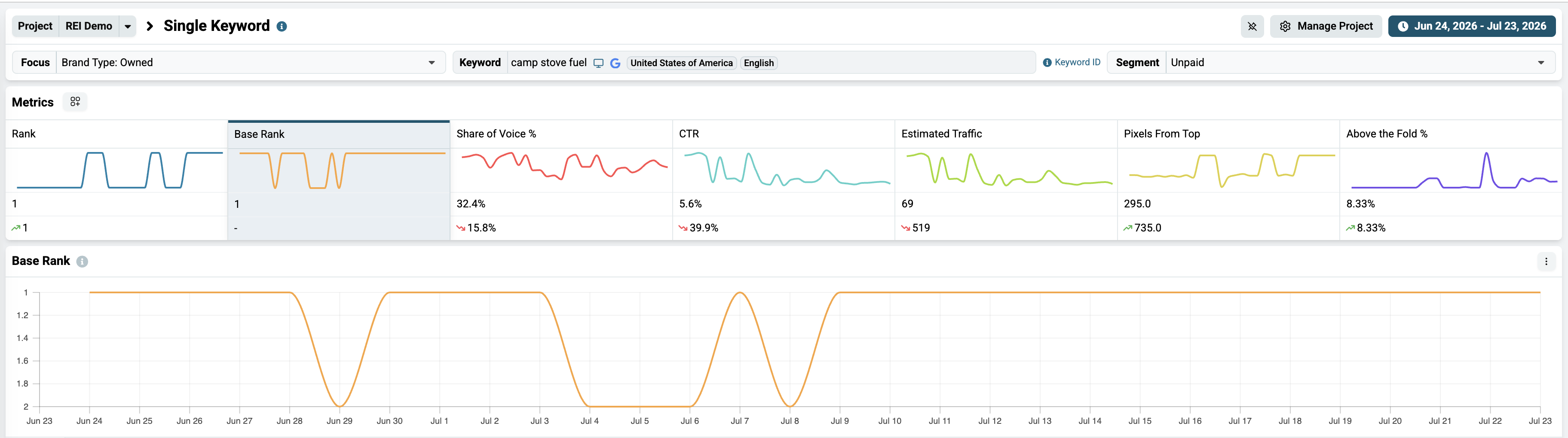
Currently, Nozzle Vision does not include an option to overlay Base Rank over the SERP Snapshot, but you can see how the Base Rank for that keyword has performed in the History chart.
You can learn more about exploring your data by learning more about the different dashboards in Nozzle.