![logo-blue copy 2.png]](https://help.nozzle.io/hs-fs/hubfs/logo-blue%20copy%202.png?height=33&name=logo-blue%20copy%202.png)
The Performance Overview dashboard is designed to provide the big picture of the current and historical rankings for you or your competition.
There's a lot of data here, so let's look at all the components one at a time.
Begin by selecting your desired brand or domain using the Focus dropdown.
You can further filter by Segment, Keyword Group, or date range.

The Metrics bar comes next. Here, you can see a mini chart of your performance for each of the metrics we track.

You can click on any of these metrics to change what is displayed in the Summary chart and the organization of the Keywords table.
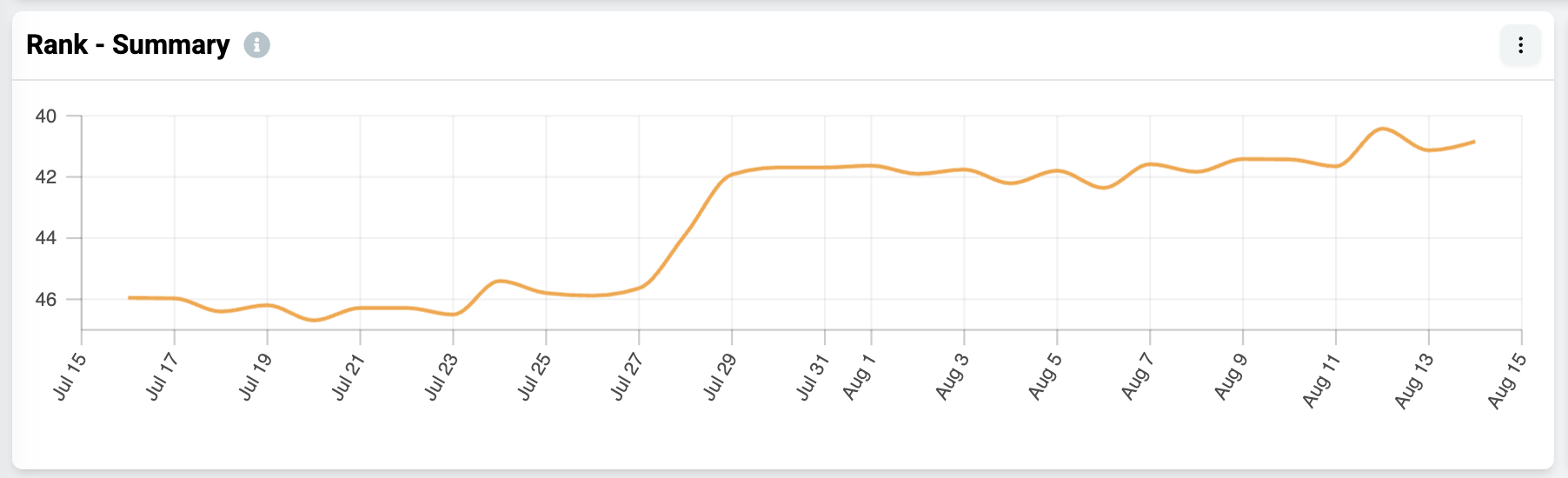
Speaking of the summary chart, this is an effective way to catch site- or brand-wide trends, i.e., Have my rankings experienced an increase or decrease overall? How many keywords does my brand rank for? Do any of the rank fluctuations coincide with major Google updates or other events?
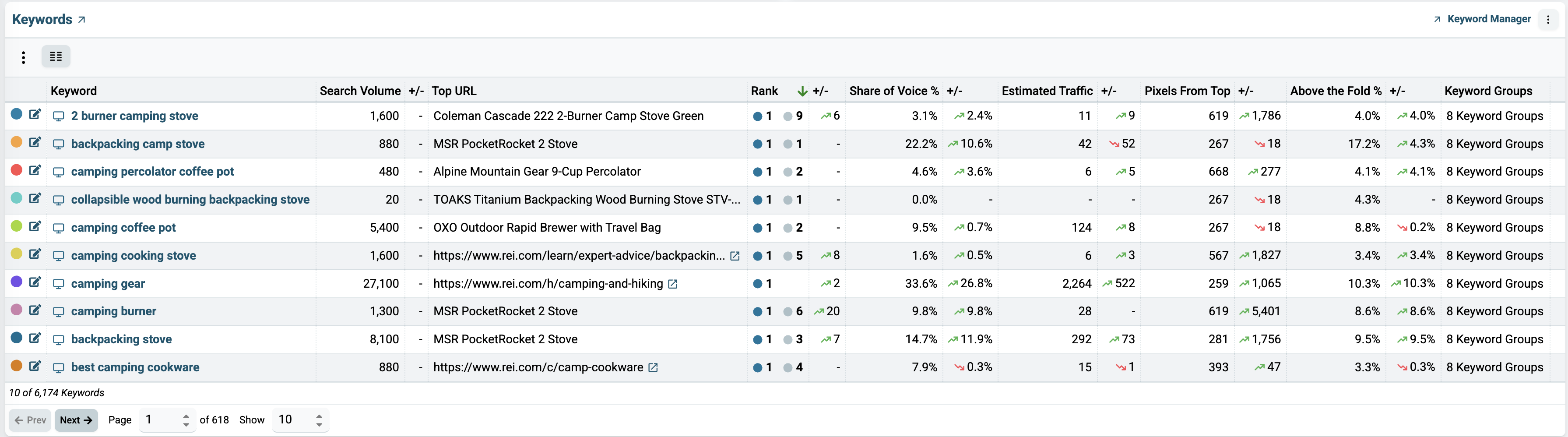
Next, you'll see the Keywords table where the keywords for the selected brand or domain are listed, along with their search volume, top URL, estimated traffic, rank, and other useful data.
You can sort the Keywords table by column to see the best or worst performers for those metrics (Rank, Pixels From Top, etc.).
The Menu Button on each of these carts will also open up a number of other options (including exporting to a csv).
You can paginate through these results or go straight to another page of results or change the number of rows displayed by using the controls at the bottom of this table.
At the bottom of the Performance Overview dashboard, you'll find four charts that show a summary of some other dashboards: Keyword Groups, SERP Features, Competitors, and Landing Pages.
These charts offer a quick insight into how your rankings differ based on keyword group, segment, and URL.

If you would like to get more details on each, you can go directly to those dashboards by clicking on its name in the chart or in the menu on the lefthand side of the dashboard.
For more information about Nozzle dashboards, click here.